
ContourMap.app
If you're searching for a Cadmapper alternative, especially for projects that need better topography, smaller contour intervals, georeferenced exports, or lower cost on larger areas, ContourMap.app is built for exactly that.
| Feature | ContourMap.app | Cadmapper |
|---|---|---|
| Pricing model | $9 per export, any area size | Free up to 1 km², then $6–$65 |
| Best value | Better for medium & large areas | Good for small free areas |
| Min. contour interval | 0.5 m / 1 ft | 4 m |
| Contour detail | Higher-detail | More coarse |
| Georeferenced export | ✓ Yes — any coordinate system | ✗ No |
| Area selection | Rectangle or custom polygon | Rectangle only |
| Export formats | DWG, DXF, SVG, KMZ, SHP | DXF, SVG, SKP, STL, OBJ |
| LiDAR support | ✓ Yes (only in some parts of the US) | ✗ No |
Cadmapper is a well-known tool and can be useful for quick, free downloads of small areas. It currently offers free files up to 1 km² and paid custom files for larger areas.
But for many architects, planners, designers, and land professionals, the real question is not just "Can I download a map?" — it is:
That is where ContourMap.app stands out.
To be fair, Cadmapper has real strengths.
It is well known, easy to use, and its free tier can be very useful for early-stage concept work. Its site also emphasizes fast map generation for designers and supports workflows for tools like AutoCAD, SketchUp, Rhino, and Illustrator.
If you only need a small free area, and you are mainly creating a quick visual or conceptual model, Cadmapper can be a convenient option.
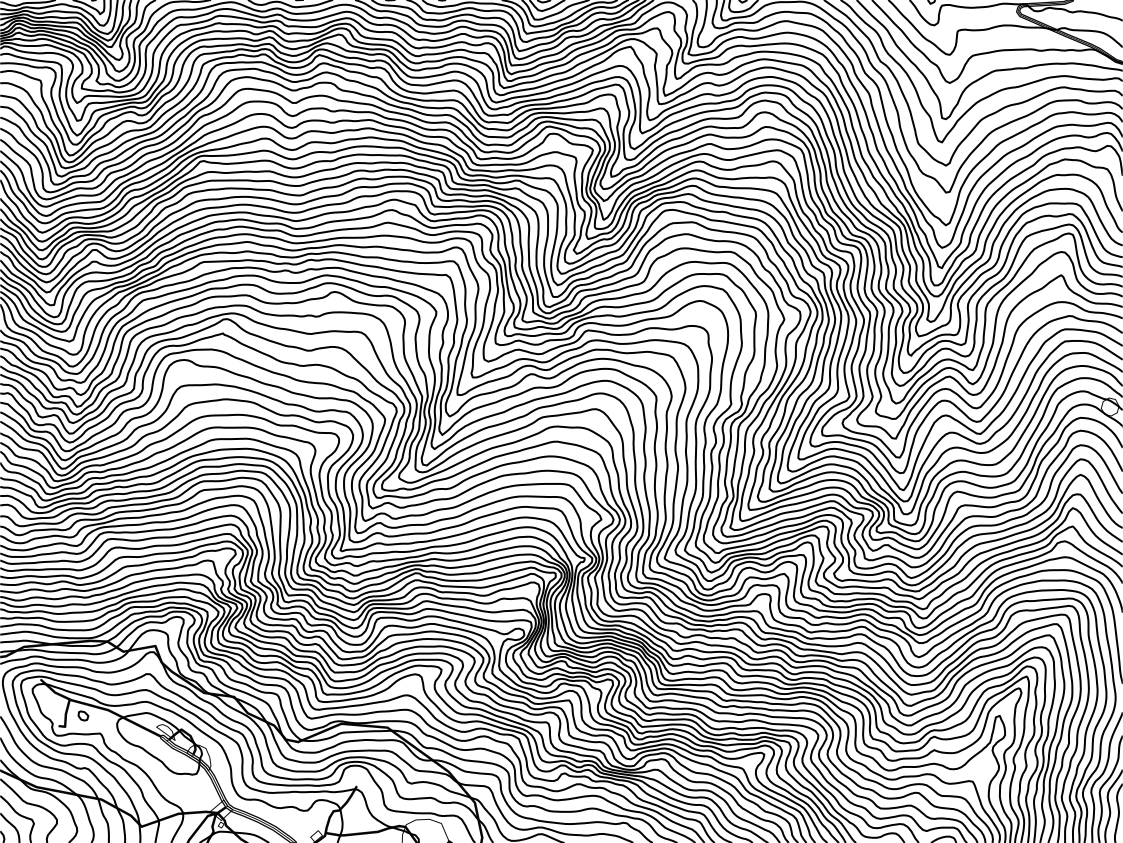
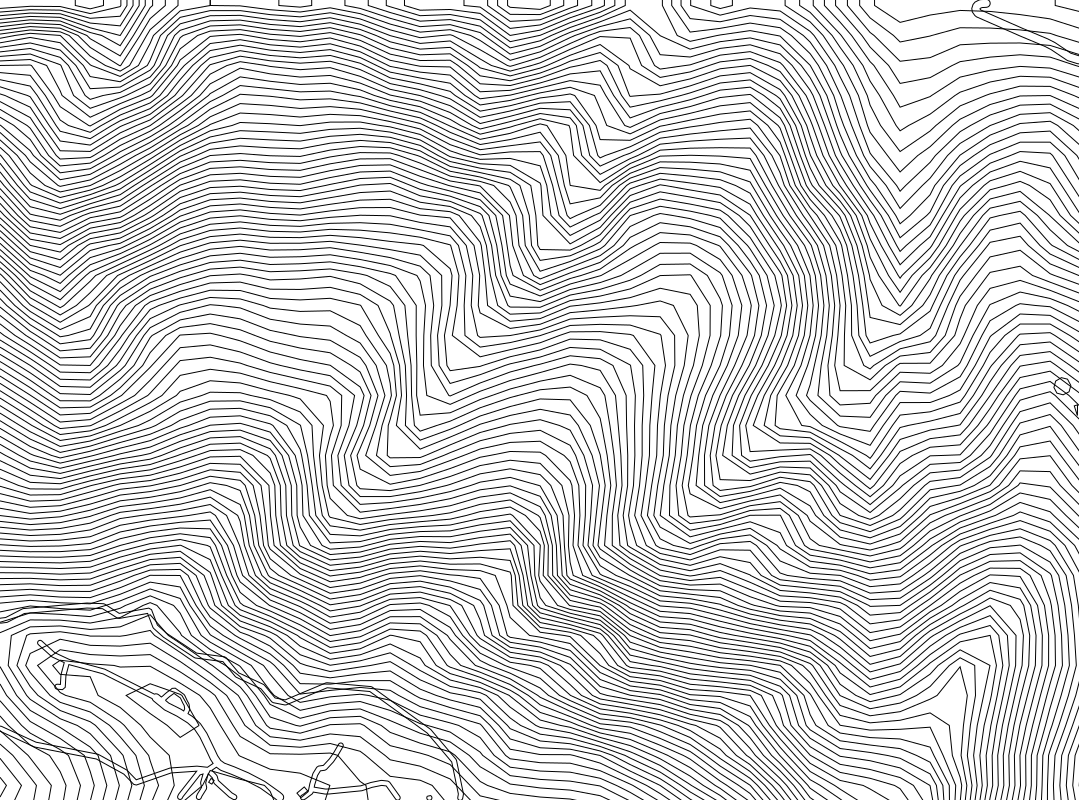 Cadmapper.com
ContourMap.app
Cadmapper.com
ContourMap.app
Drag the slider to compare Cadmapper (left) vs ContourMap.app (right) for the same area.
One of the biggest differences is terrain detail.
When contour intervals are too coarse, the terrain can look blocky, simplified, or miss subtle but important shape changes. With finer intervals, you get contours that are more informative and visually cleaner.
You can see this directly in the interactive comparison slider above, where the difference in contour density and readability is much easier to spot.
Cadmapper's free tier is attractive for very small projects. Its public site says free downloads are available up to 1 km².
But if your site is larger than that, cost starts to matter.
ContourMap.app uses a simple flat price of $9 per export, regardless of area size. That means for many medium and large sites, it can become the more economical choice very quickly.
If you are searching for:
…ContourMap.app is often the better fit.
For many users, getting lines on screen is not enough. You need files that fit into a real workflow.
ContourMap.app is built around georeferenced export, so you can export in the coordinate system you need and reuse that output in a more consistent CAD/GIS process.
This is especially useful if you are:
That makes ContourMap.app a stronger choice for users who need more than a visual reference.
Real project sites are not always nice rectangles.
ContourMap.app lets you select either:
That means less wasted area, more relevant data, and better cost efficiency when your site has an irregular boundary.
For many real properties and design sites, this is a major workflow improvement.
Cadmapper is strong for concept-modeling workflows and supports popular design software. Its site highlights AutoCAD, SketchUp, Rhino, and Illustrator.
ContourMap.app focuses more directly on practical drafting and mapping outputs, including:
That makes it especially useful when your output is going into CAD, GIS, map production, or vector design workflows.
ContourMap.app also offers LiDAR-based data in supported areas (primarily in parts of the United States), which can provide significantly better terrain detail where available.
If topographic quality matters, this can be a major advantage over more generalized terrain sources.
Cadmapper is a useful and respected tool, especially for free small-area concept work.
But if your priority is:
then ContourMap.app is the stronger choice.
If you need better contour quality, smaller contour intervals, georeferenced exports, and better value for larger sites, ContourMap.app is one of the strongest alternatives.
For very small areas, Cadmapper's free tier can be hard to beat. But for many larger export areas, ContourMap.app's flat $9 pricing can be more affordable and more predictable.
For terrain-focused use cases, many users will find ContourMap.app more useful because it supports finer contour intervals and can use LiDAR data in supported areas.